 02 / Problem
 03 / Why now
 04 / Solution
 05 / Market
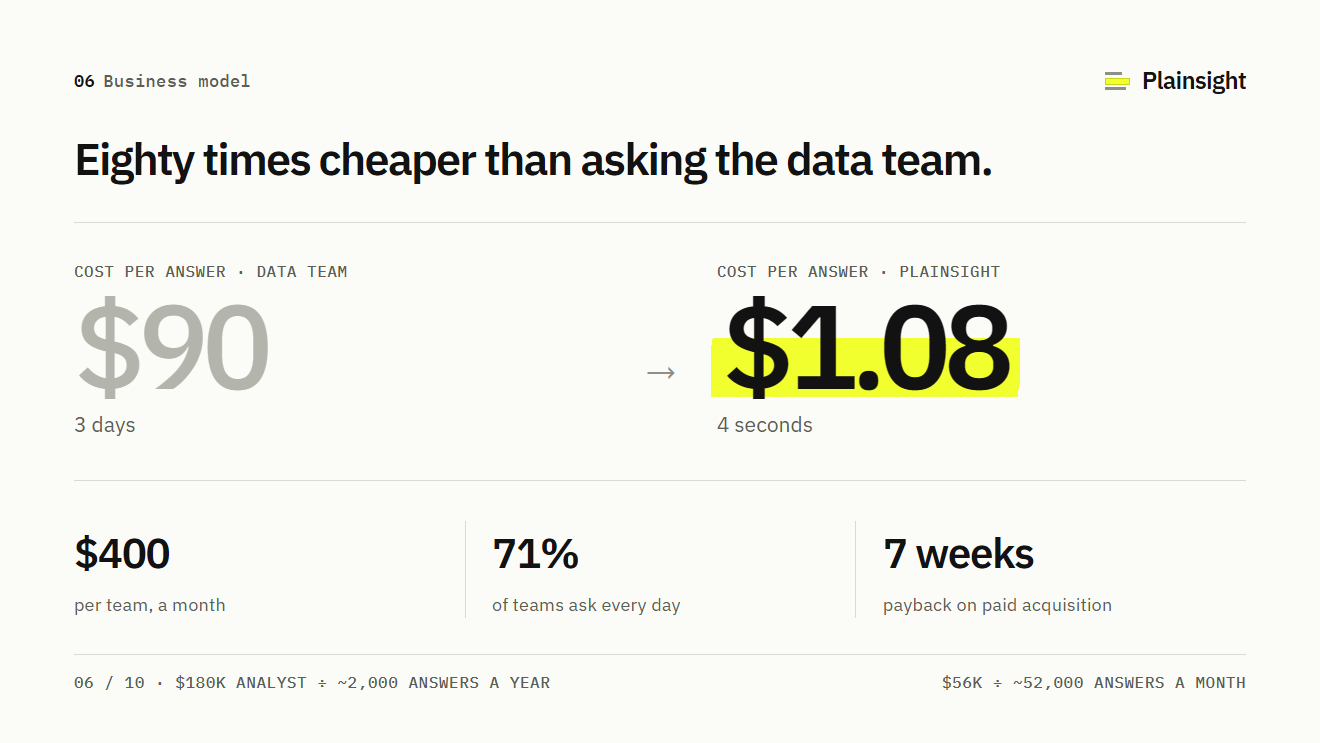 06 / Business model
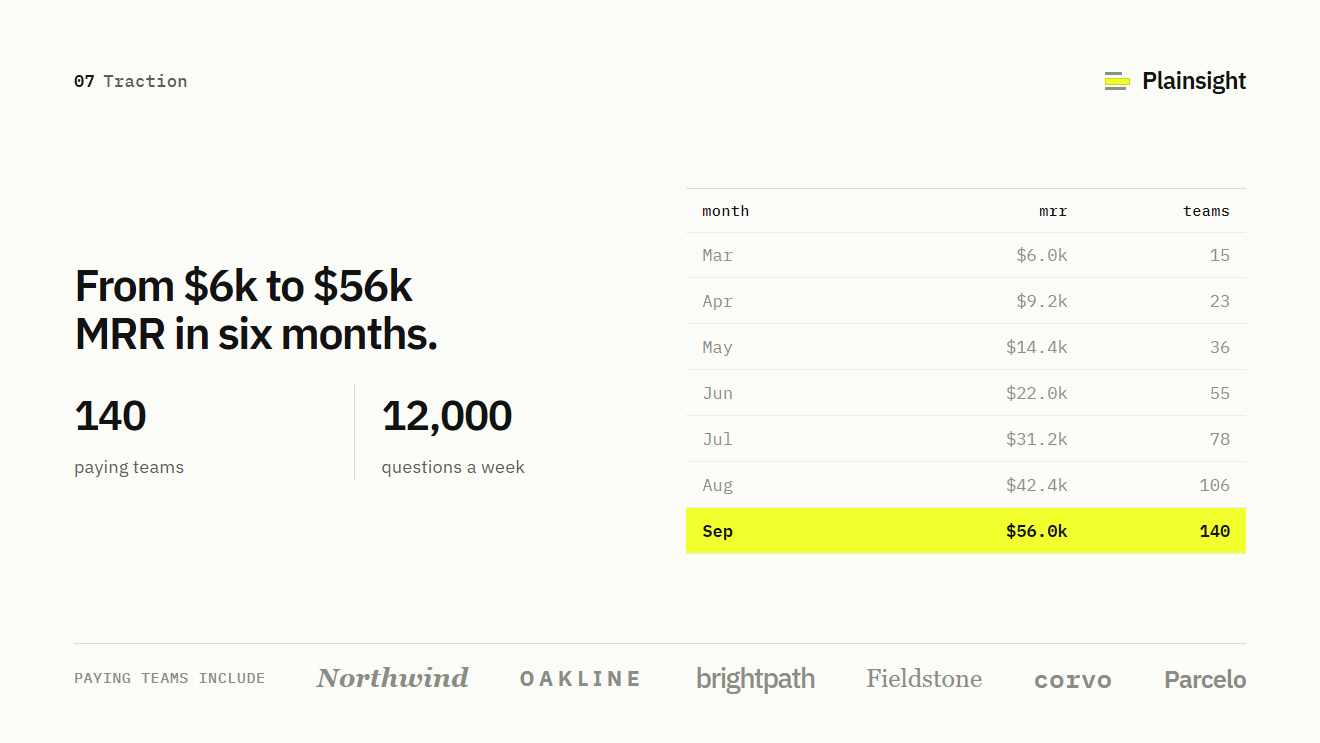 07 / Traction
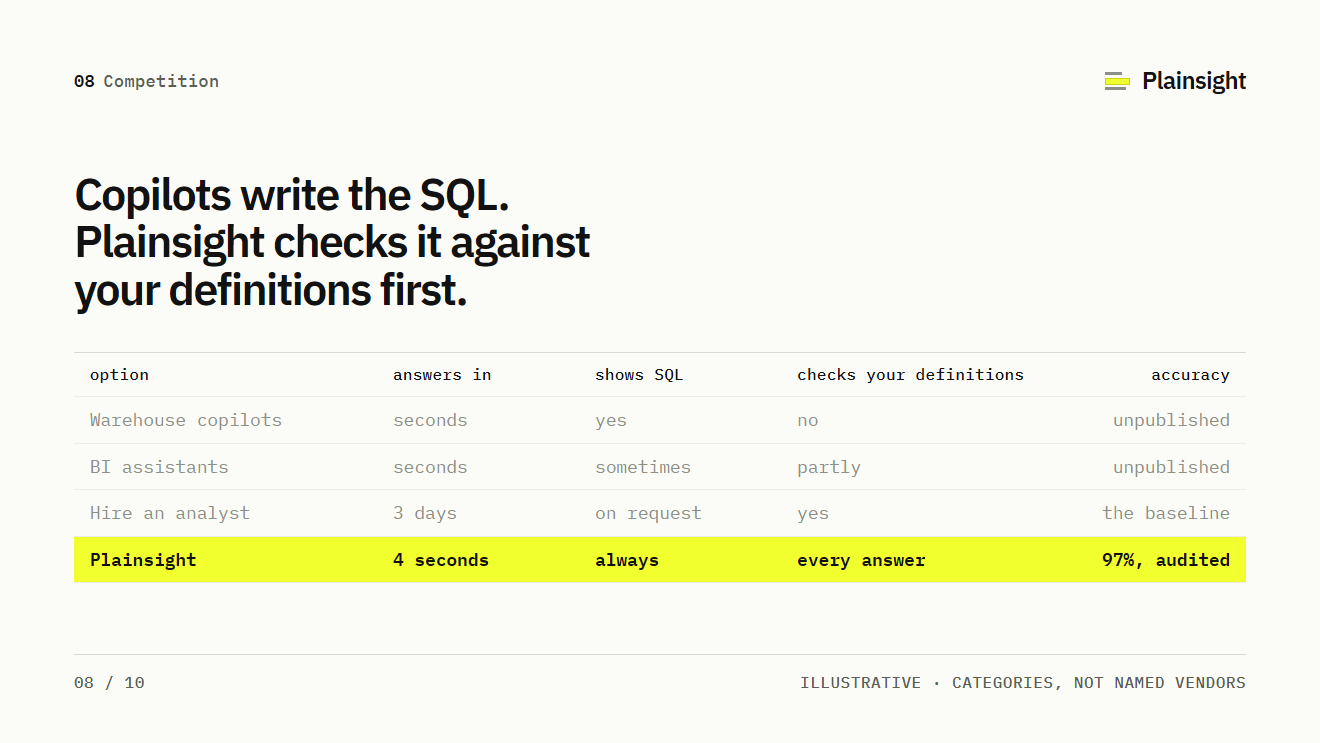 08 / Competition
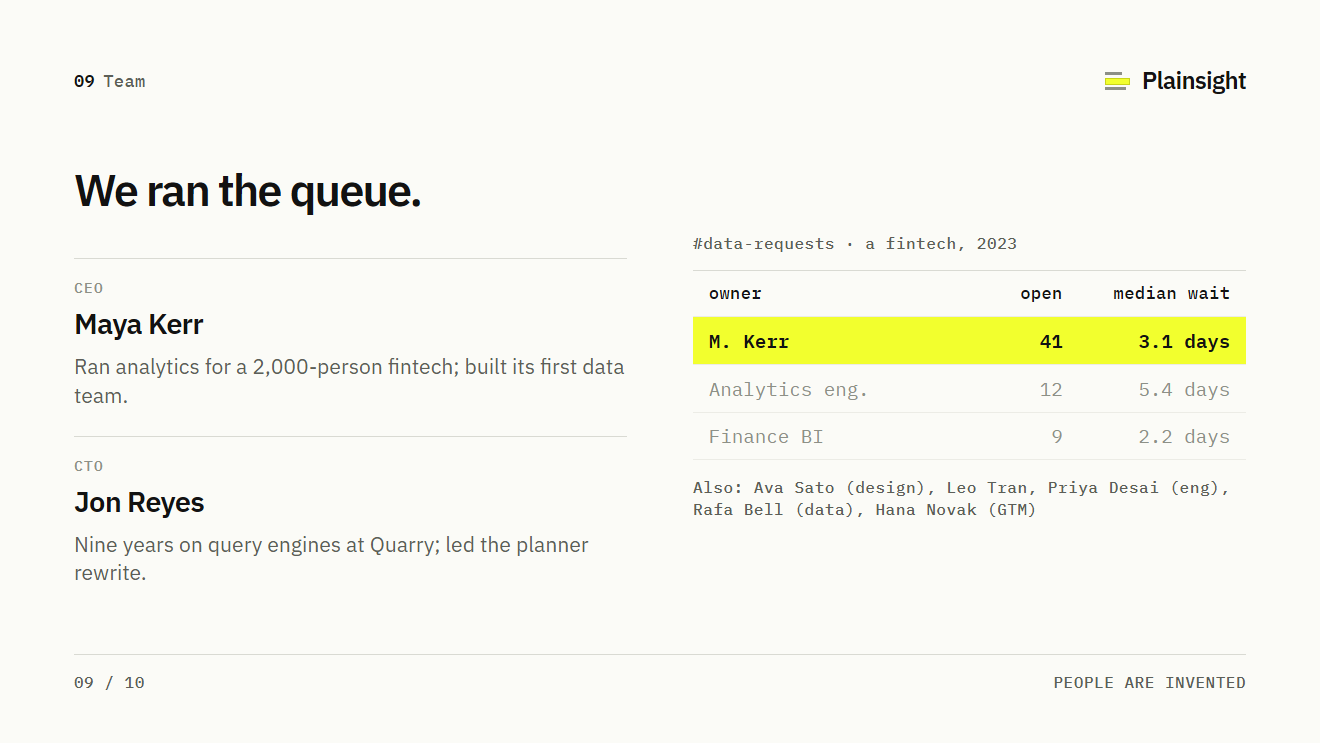 09 / Team
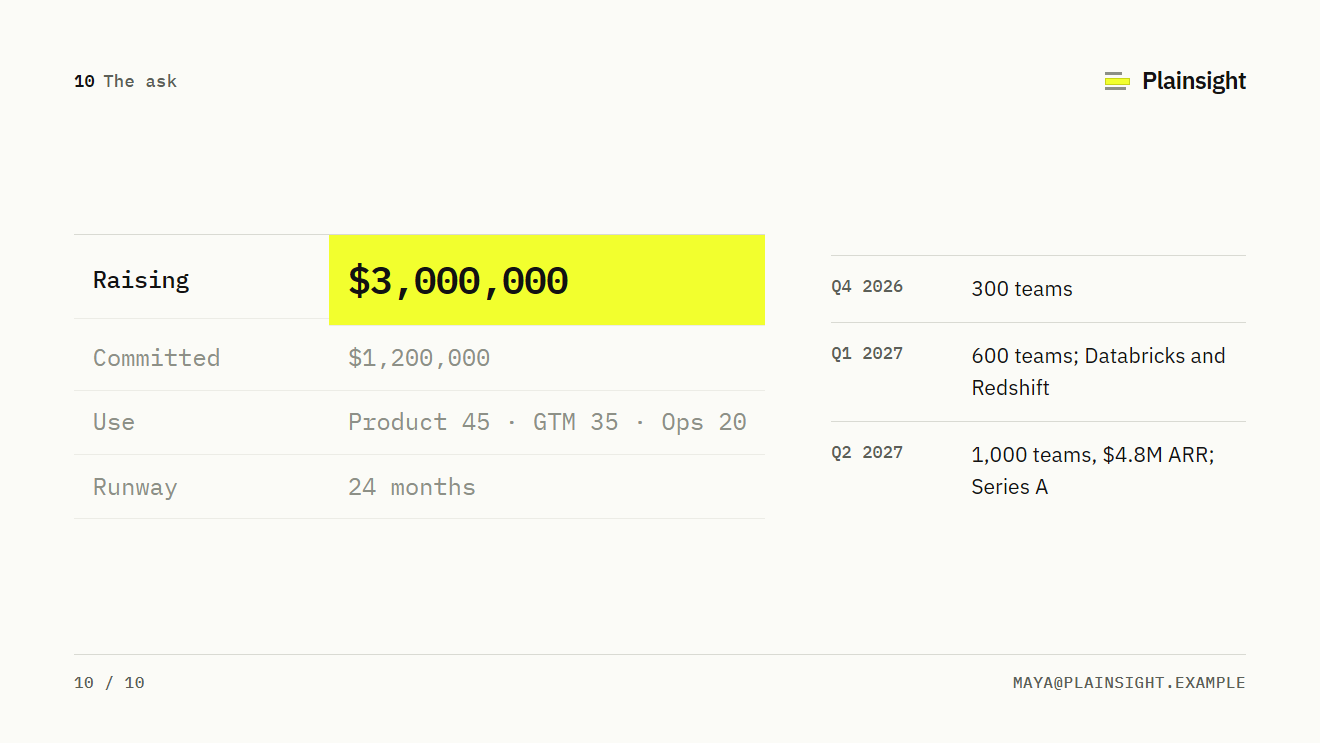 10 / The ask
Select a slide to open it at reading size. Use these as coverage questions; the sequence can change.
A list of slide titles can help you notice gaps. It cannot decide your opening, prove a claim or tell you how much explanation a particular reader needs. Use these nine questions to check coverage, then arrange the answers around your strongest evidence.
Some answers may share a slide. Others may need more room. Compare your answers with Sequoia’s business-plan outline, which covers company purpose, problem, solution, timing, market, alternatives, business model, team, financials and vision. Use it to spot omissions; our nine questions below are an editing aid, not Sequoia’s prescribed sequence. A technical explanation, for example, can require supporting material that a simple product does not. Keep the main argument readable and put genuine follow-up detail in the appendix.
Check what the reader can understand.
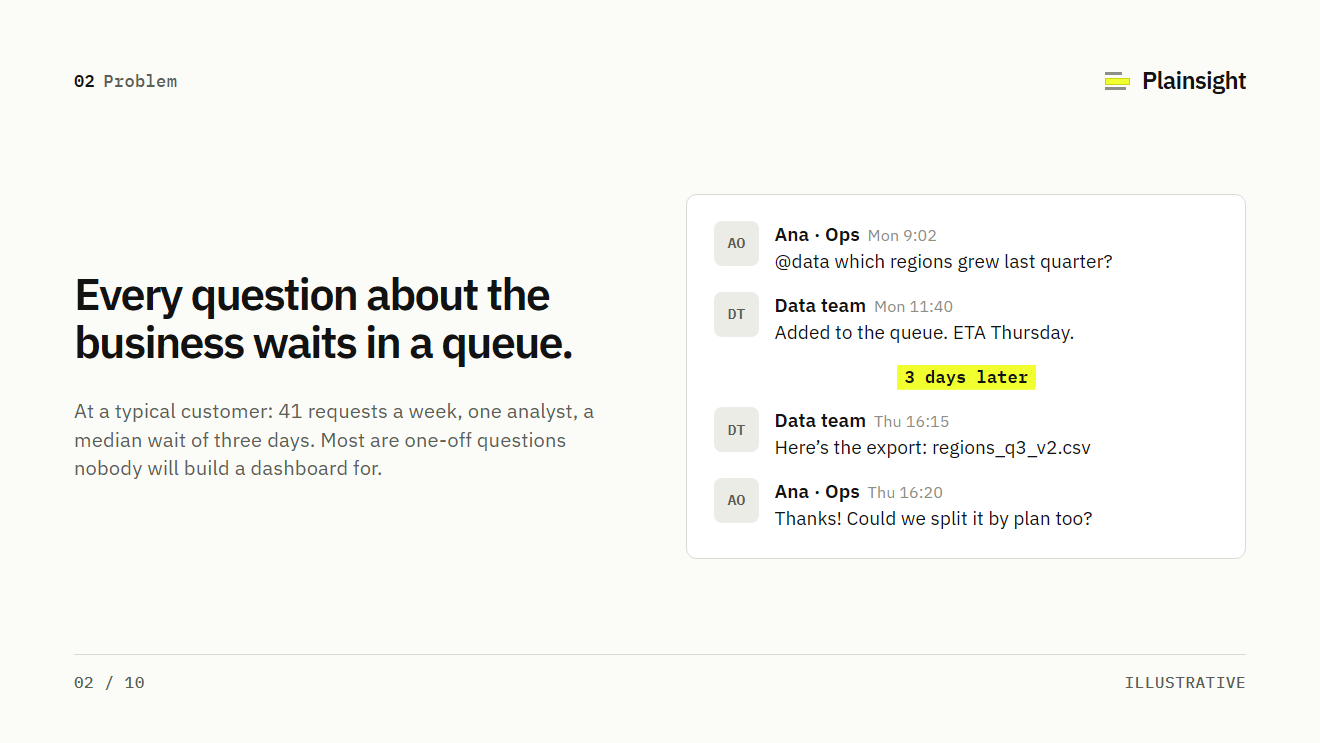
01 / Problem
Is the pain real, and whose?
Name a customer and a specific task. Explain what happens today and where the difficulty appears.
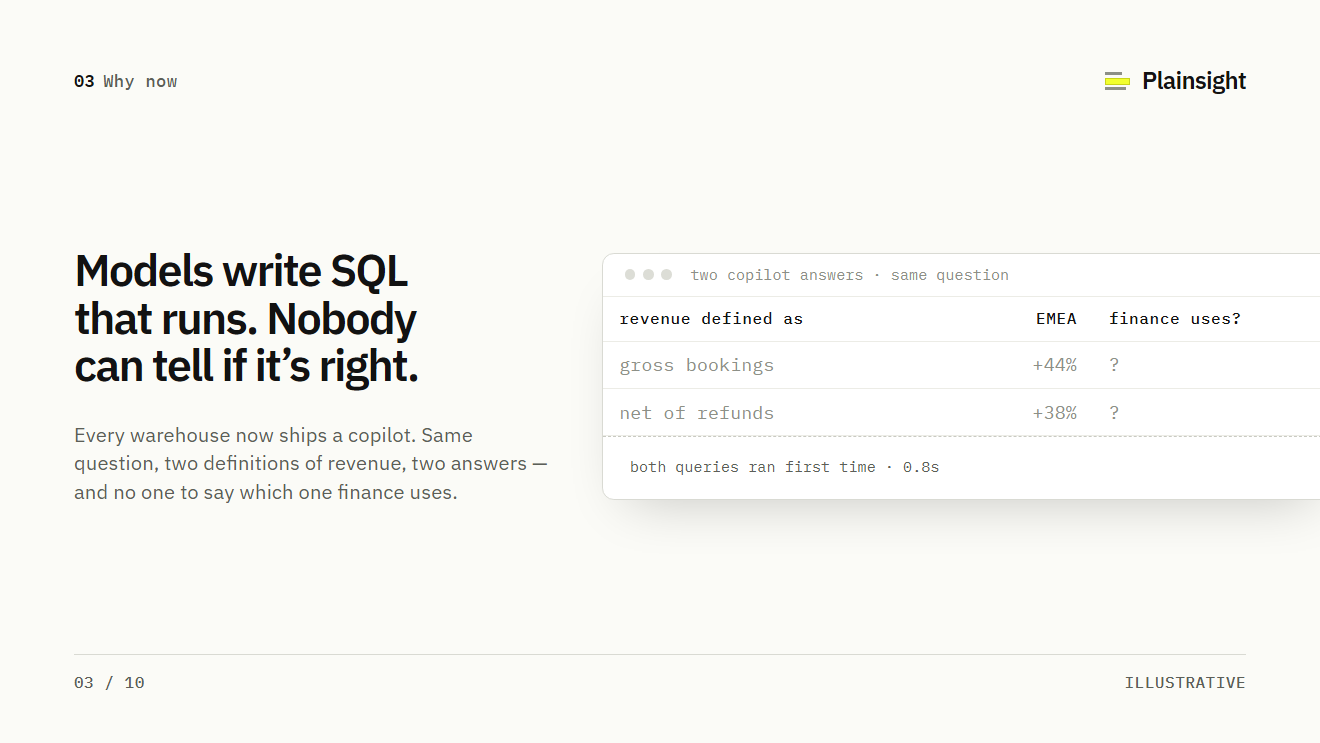
See the example slide02 / Why now
What changed?
Identify a relevant change in technology, customer behaviour, regulation or distribution, and explain why it affects this business.
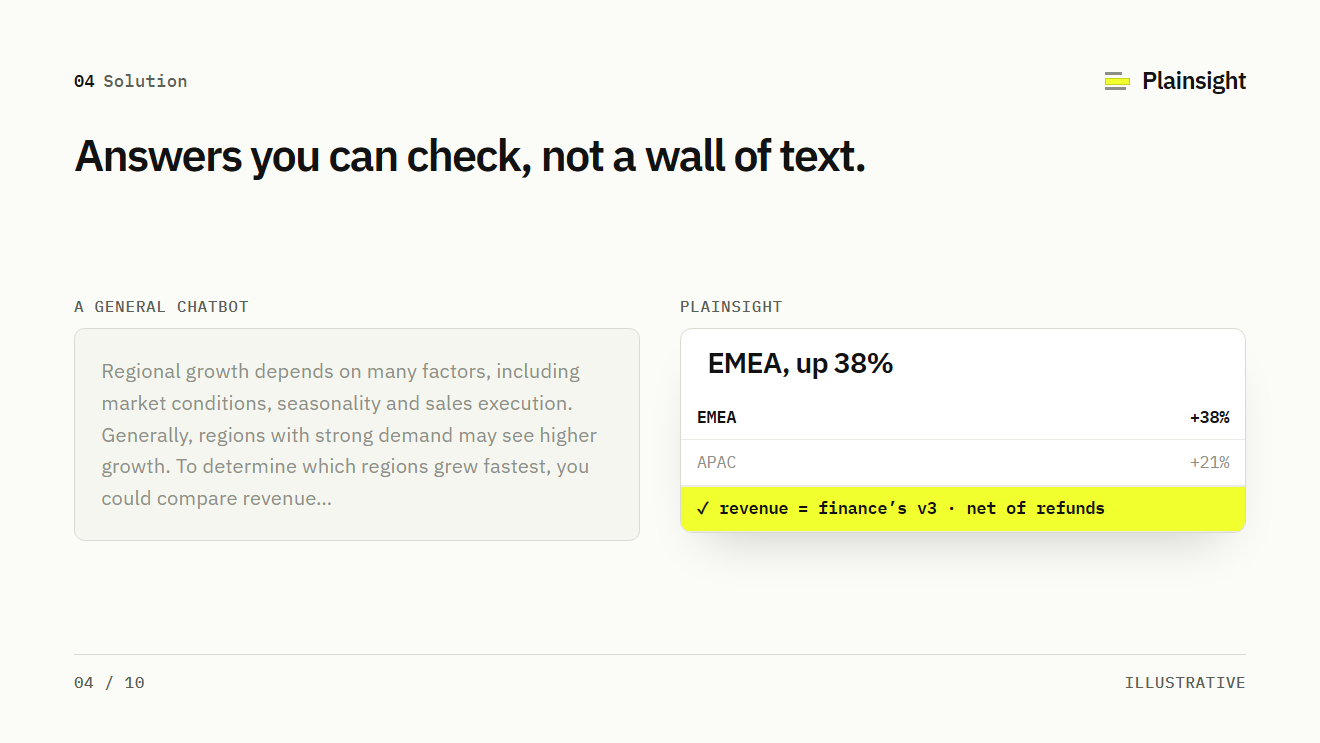
See the example slide03 / Solution
What does the product do?
Show the product in use. Make the input, the action and the useful outcome easy to follow.
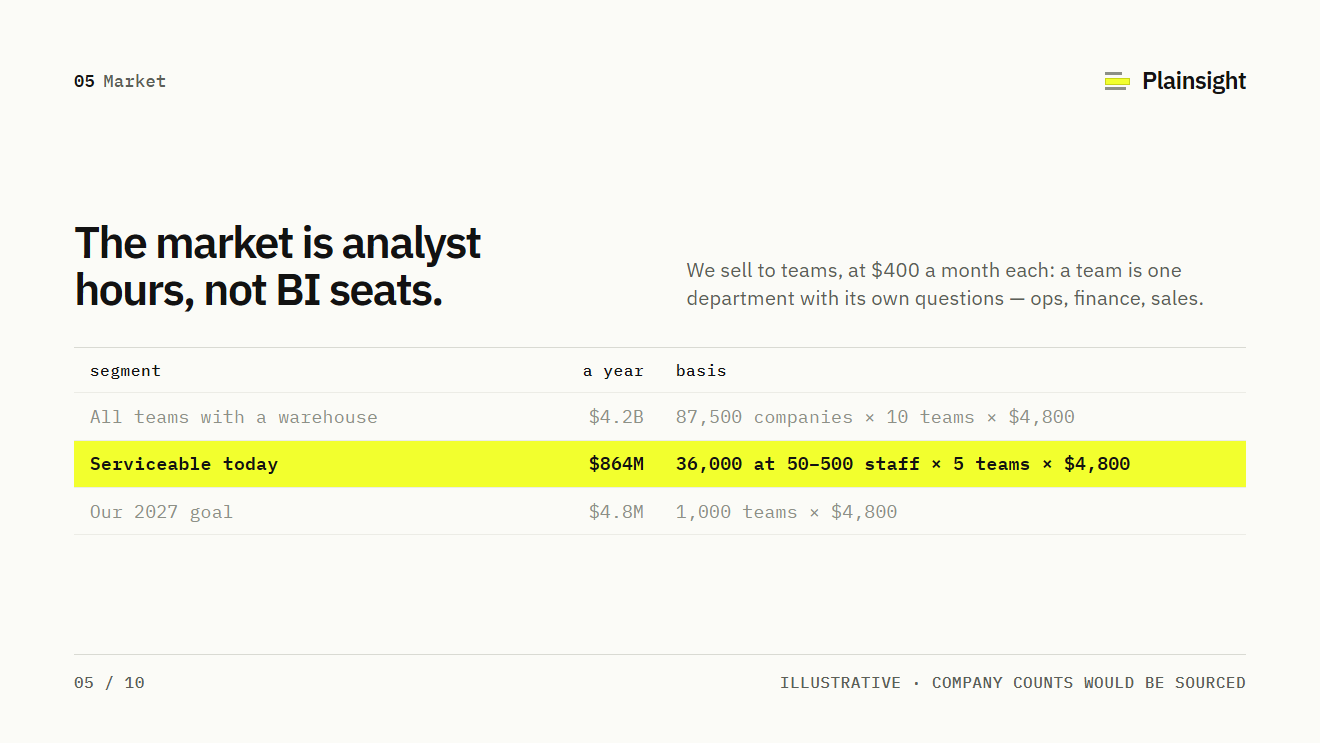
See the example slide04 / Market
Who could buy it?
Define the customer group and show the assumptions behind the opportunity. Make the calculation traceable.
See the example slide05 / Business model
How does the company earn revenue?
Name the buyer, the charging unit and the main costs of delivering the product. Separate present terms from planned pricing.
See the example slide06 / Traction
What have you demonstrated?
Choose evidence for a specific claim. Label its period, denominator, commercial status and source.
See the example slide07 / Competition
What would the customer use instead?
Include relevant alternatives, including existing workflows. Explain the trade-off that could lead a buyer to switch.
See the example slide08 / Team
Why can this team do the work?
Connect experience and responsibilities to the company’s important risks. Identify a capability you still need to add.
See the example slide09 / The ask
What will the money allow you to attempt?
Connect the amount, timing and workstreams to an observable milestone. State material assumptions.
See the example slideChoose the order after the argument is clear.
If a customer result makes the opportunity understandable immediately, consider introducing it early. If a technical constraint is central to the company, give the reader enough context to judge the solution. Keep dependencies clear: a reader should understand a term before a later slide relies on it.
Read only the headlines in order. Then read the evidence beneath each one. The first pass tests whether the story is coherent; the second tests whether the slides support it. If the headline promises more than the evidence establishes, narrow the claim or strengthen the support.
Explore the complete example.
Plainsight is an invented analytics company used to demonstrate a seed deck. Its people and figures are illustrative. Use it to examine layout, sequence and evidence presentation; it is not a record of a funded company or a benchmark for your business.
Open the Plainsight example deck
For a deeper edit, continue with the story, traction and ask guides.
Put it to work / TPD exercise
Check the deck’s coverage.
- Read the headlines in order.
- Find evidence for each claim.
- Separate follow-up detail.